In the first quarter of 2026, Microsoft Threat Intelligence detected approximately 8.3 billion email-based phishing threats. By the end of this period, an even more alarming trend emerged: QR codes had become the fastest-growing phishing attack method, while CAPTCHA-based phishing evolved rapidly. But why has this trend emerged, and should you be concerned?
In this blog, we’ll break down how these attacks work and share practical ways to defend your business.
What is QR Code Phishing?
QR code phishing, also known as quishing, is an attack where cybercriminals leverage QR codes to trick unsuspecting victims into opening fraudulent websites that steal sensitive data.
QR codes are not inherently malicious. In fact, businesses use them every day in legitimate ways, such as payments, product detail pages, restaurant menus, and online appointment booking.
However, QR codes have quickly emerged as a preferred tool among threat actors. By embedding malicious links inside QR codes placed in emails or attachments, cybercriminals can evade traditional defenses and lure victims into scanning the code using their personal mobile devices. This exposes users and organizations to data theft or malware.
According to Microsoft, the volume of QR code-based phishing increased from 7.6 million in January to 18.7 million in March, a 146% increase.
What is CAPTCHA-Based Phishing?
Much like QR code phishing, threat actors exploit CAPTCHA pages to delay detection and allay user suspicions.
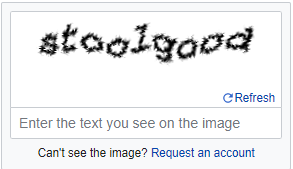
CAPTCHA, short for Completely Automated Public Turing test to tell Computers and Humans Apart, is a legitimate security measure that distinguishes humans from automated bots. It helps protect websites from spam, fraudulent account creation, and abuse by requiring users to solve challenges, such as selecting images, identifying distorted text, or completing a puzzle piece.
Threat actors are abusing this mechanism by embedding CAPTCHA pages in phishing pages to make them appear legitimate. If users are forced to solve a fake CAPTCHA first, attackers can evade automated scanners and then trick victims into providing passwords or downloading malware.
More concerningly, some CAPTCHA phishing attacks trick users into copying and executing malicious commands on their systems. This allows malware to circumvent typical security measures.
How Can You Protect Your Business from QR Code and CAPTCHA-Based Phishing Attacks?
The rise of QR code and CAPTCHA-based phishing attacks shows that attackers are moving beyond what users normally recognize as suspicious. By exploiting everyday behaviors like scanning QR codes and solving security tests, cybercriminals sidestep skepticism and convince users that what they’re doing appears safe.
Therefore, it’s important to protect your business against these attacks. Here are some practical yet effective methods you can teach your employees:
Pause before scanning: Don’t scan QR codes from suspicious emails, attachments, and documents. Only scan those from trusted entities, such as official apps/mail and company websites.
Enable multifactor authentication (MFA): MFA requires users to provide two or more proofs of their identity, such as a unique code or access badge. This means that even if cybercriminals steal credentials, they still won’t be able to access the account.
Use managed devices: Never scan QR codes using personal phones for work-related tasks.
Check the link: If you’re asked to log into your account after solving a CAPTCHA, check if the domain is correct. For example, a legitimate page might read as microsoft.com, not micr0soft-login.com.
Keep web browsers up-to-date: Updated browsers can detect suspicious redirects from a QR code or a CAPTCHA, protecting your business from data theft and malware.
Stay Ahead of Emerging Threats with Techmedics
Phishing and other cyberattacks will continue to evolve, becoming more evasive and posing serious risks to your business. To keep your business resilient against these, why not partner with a reliable managed security services provider like Techmedics? Here’s how we keep threats at bay, ensuring operational continuity for your organization:
Cybersecurity Awareness Training: We help employees learn to recognize phishing attempts, fraudulent links, and malicious attachments, and social engineering tactics through cybersecurity awareness education. This helps reduce human error and strengthens the first line of defense against evolving threats like fake CAPTCHA scams and QR code phishing.
24/7 Monitoring: Our team constantly scans IT systems for performance issues and suspicious activity. We then address detected issues promptly to strengthen your security.
Endpoint Detection and Response (EDR/MDR): We protect company devices with advanced monitoring and threat detection tools that identify suspicious activity, contain threats quickly, and reduce the risk of ransomware and unauthorized access.
Layered Security Approach: Techmedics uses a layered cybersecurity strategy that combines endpoint protection, email security, access controls, MFA, and proactive maintenance and monitoring, among other strategies or solutions. Our zero-trust approach verified every user and device before granting access to critical systems and data.
Proactive System Updates and Patches: We address system vulnerabilities before attackers can exploit them through timely security patches and scheduled maintenance.
Talk to our experts today to see how we can help safeguard your organization against todays and tomorrow’s threats.
Talk With a Technology Advisor
Technology challenges rarely have one-size-fits-all solutions. A consultation with Techmedics can help you better understand your options and identify practical next steps for your organization. Start with a conversation about what you're trying to accomplish and where technology may be getting in the way.
Your request has been sent.
Oops! Something went wrong while submitting the form.